“Every time you simplify a process, you make room for better decisions.”
That’s exactly what many logistics teams are starting to realize with WiseTech Global’s new CargoWise Value Pack (CVP) and its centerpiece, the CargoWise Automation Fee.
This change marks one of the biggest commercial model updates CargoWise has rolled out in years. And if your finance, accounting, or operations teams are wondering why a new charge suddenly appears on invoicing jobs, you’re not alone.
This blog breaks everything down in a clear, practical way so your teams understand what the fee is, why it exists, how it works inside CargoWise, and what you should do next.
What Exactly is the CargoWise Automation Fee?
The CargoWise Automation Fee is a system-generated fee applied automatically to every invoicing job.
It’s not manually entered, can’t be switched off, and is not tied to an operational service. Instead, it’s a core part of WiseTech’s new Value Pack commercial model.
Why has WiseTech introduced This Fee?
WiseTech combined dozens of micro-charges, tied to behind-the-scenes automation, processing, and system actions, into one single job-level fee.
The logic is simple:
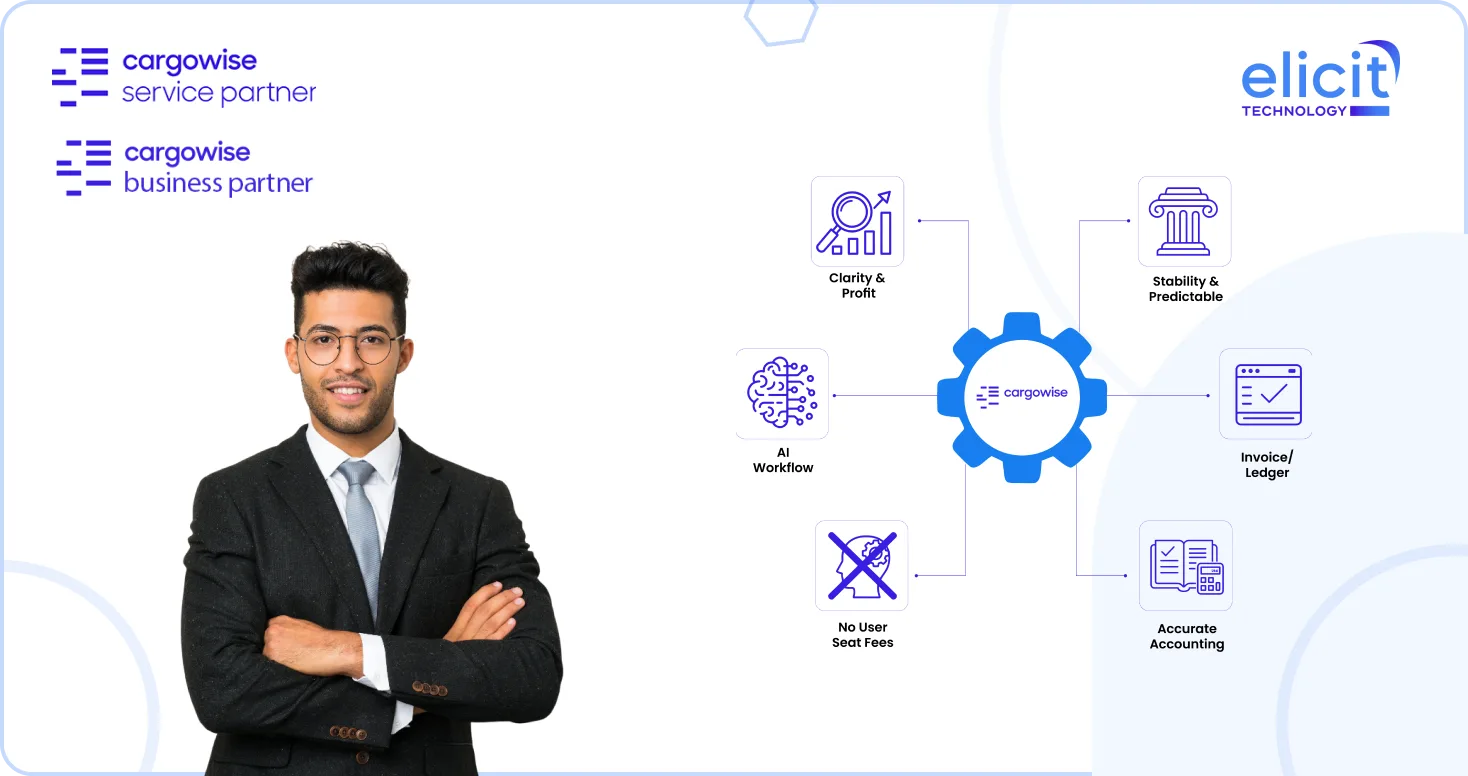
- Make software costs easier to understand
- Improve job-level profitability clarity
- Give logistics companies a transparent way to recover technology costs from customers
- Eliminate hidden overheads associated with automation
In other words, instead of paying for scattered user seats, hosting fees, and automated actions, everything flows into one standard fee per job.
How does the Automation Fee Show Up in CargoWise?
Once your environment is migrated to the Value Pack, CargoWise posts two automatic accounting transactions every time an invoicing job is created:
1. A Special Job Revenue Journal
This accrues the automation fee to reflect the system cost.
- One posting goes to the job using the fee’s charge code
- The counterpart posts to the CargoWise Automation Fee Payable account
- CargoWise appends the job number for easy traceability
2. An Automatic WIP Transaction
This transaction allows you to recover the fee from your customer through your invoicing process.
So the revenue side of the charge is in an accrued state and is editable, not like the cost amount, which is in a posted state by default.
No user intervention needed, these postings happen silently in the background.
You’ll also see the fee reflected in:
- Job Profit Document
- Job Profit Report
This is intentional. WiseTech designed this model to improve operational and financial clarity at the job level.
What will Your Teams and Customers Notice?
The moment you’re migrated, you will begin seeing:
- A new line item called CargoWise Automation Fee
- The fee appears at the origin and destination when multiple invoicing jobs exist
- Additional fee descriptions (if you’ve configured prefixes, suffixes, or shipment numbers)
You can even generate a CargoWise Automation Fee Pro Forma Invoice if customers request visibility.
How Automation Fee Management Works Inside CargoWise?
CargoWise deploys several backend configurations automatically when the Value Pack activates:
Global GL Accounts
The system creates:
CargoWise Automation Fee Clearing Account
Used for revenue, WIP, cost, and accrual postings.
CargoWise Automation Fee Payables Account
Used to record amounts owed to WTG.
You can adjust GL numbers and account types later to align with local accounting rules.
Global Charge Codes
CargoWise inserts new global charge codes tied to:
- Revenue
- WIP
- Cost
- Accrual accounts
The charge type is system-locked as DSB.
You may modify:
- Revenue recognition overrides
- Tax IDs
- Local charge code rules
- Place of supply
- Government charge mappings
This flexibility ensures the fee aligns with your tax obligations.
Configurable Charge Descriptions
You can enhance clarity for customers by customizing fee descriptions using:
- Transport mode
- Container mode
- Shipment type
- Origin/destination region
- Shipment number
- Prefixes/suffixes
This is especially useful for Buyer Consolidation, Cross-trade, or multi-origin shipments.
Intercompany Transactions Support
If your group uses intercompany invoicing:
- CargoWise can carry over line descriptions
- You can switch this on/off via the registry
- Your receiving system company will see consistent fee descriptions tied to job numbers
This keeps intercompany reconciliation clean and auditable.
How does the Fee Impact Existing CargoWise Logic?
Several core behaviors remain intact:
Auto-Creation of Invoicing Jobs
CargoWise now creates invoicing jobs by default, regardless of registry settings, because the automation fee requires a job to exist.
WIP/ACR Creation Rules
If your system is set to delay WIP or ACR creation until an invoice is posted:
- The automation fee journal does not trigger unwanted WIPs
- WIPs post only when your operational invoice posts
This prevents double-counting.
Invoicing Job Deactivation
CargoWise now allows job deactivation when:
- No open WIP exists
- No ACR exists
- Only the automation fee journal is present
This behavior is controlled through an updated registry.
Do You Need Immediate Support? (How We Can Help You Implement This)
Switching to the CargoWise Value Pack and managing the new Automation Fee can feel overwhelming, especially with changes to GL accounts, invoicing jobs, and fee recovery settings. If your team is unsure how to configure these updates or interpret the system-generated journals and WIP entries, we can help review your setup and ensure everything aligns with your accounting and operational processes.
We also support your teams with training, SOP updates, and customer-facing communication so the transition is smooth and error-free. If you need hands-on guidance or want expert oversight while implementing these changes, talk to your CargoWise service partner today.
Conclusion
The new CargoWise Automation Fee isn’t just a billing change. It’s a shift toward a more transparent, scalable, automation-driven commercial model.
With clearer profit analysis, simplified accounting, AI-ready workflows, and an easier way to recover system costs, logistics companies can run leaner and smarter without hidden technology overheads.
If your team needs help preparing for the rollout or optimizing your charge code and GL configuration, schedule a demo today. As a certified CargoWise service partner, we’re here to support your transition confidently and smoothly.