









You don’t usually notice compliance systems until something breaks.
An invoice gets rejected. A transaction fails to report. Suddenly, your finance team is chasing errors, your operations slow down, and your compliance risk goes up. That’s exactly what can happen if Uruguay e-invoicing isn’t configured correctly in CargoWise.
With the Dirección General Impositiva (DGI) enforcing structured electronic reporting through the latest Formato CFE v25-1, CargoWise users in Uruguay need more than basic setup. They need a configuration that works consistently, scales with operations, and passes validation every single time.
This guide walks you through what really matters, not just the steps, but how to avoid the common pitfalls that disrupt your invoicing flow.
Why Uruguay E-Invoicing Matters for CargoWise Users?
Uruguay’s e-invoicing system isn’t just about sending invoices digitally. It’s about structured, real-time compliance reporting where every Accounts Receivable (AR) transaction is validated before it’s accepted.
For CargoWise users, this means:
- Every invoice must meet DGI’s structured XML requirements
- Every transaction must pass validation through the eHub and PAC provider
- Every missing field or incorrect configuration can result in rejection
This shifts invoicing from a simple accounting function into a compliance-driven workflow.
The Foundation: Company and Branch Configuration
Before anything else, your CargoWise environment must correctly identify your business to the tax authority.
This starts with three critical elements:
- RUT (Registro Único Tributario)
- BRC (Branch Code)
- Organization Address State (Departamento)
These are not optional fields. They define how your invoices are recognized and processed by DGI.
If these details are missing or incorrect, CargoWise won’t be able to report transactions at all.
From a practical standpoint, this means your Organization Proxy setup must be clean and consistent across all branches. Even a small mismatch between branch configurations can lead to failed submissions.
Receivables Configuration: Where Most Errors Begin
A common issue in Uruguay e-invoicing setups comes from receivables organizations.
Every debtor must have a valid registration number and code. If not:
- The system may assign the wrong compliance subtype
- Transactions may fail validation
- Invoices may never reach DGI
For example, when a customer doesn’t have a RUT, you still need an alternative registration code configured. Without it, CargoWise cannot process the transaction correctly.
This is where many teams run into trouble, because the issue doesn’t show up until after posting.
Registry Settings that Control Everything Behind the Scenes
CargoWise registry settings quietly control how your entire e-invoicing process behaves.
There are three key areas you need to focus on:
1. Enable E-Reporting Functionality
This activates automatic transmission of eligible transactions to DGI. Without it, nothing moves forward.
2. Compliance Subtype Rules
These determine how each transaction is categorized (TXI, TCR, TKT, etc.). If this logic is incorrect, invoices may be rejected even if all other data is correct.
3. Error Notification Groups
When something fails, and it will at some point, you need immediate visibility. Setting up notification groups ensures your team can act fast instead of discovering issues days later.
These settings don’t create transactions, but they define how every transaction behaves.
Understanding Compliance Number Sequences
DGI requires every invoice to have a valid Series and Number.
Here’s where it gets interesting:
- CFE (Electronic Documents): Numbers are assigned by the PAC provider
- CFC (Contingency Documents): Numbers must be configured in CargoWise
If contingency sequences aren’t set up, CargoWise cannot report fallback transactions. That means no backup if the primary system fails.
For logistics businesses handling high transaction volumes, this is a serious operational risk.
The Role of Service Tasks in Automation
Once everything is configured, the system still needs a way to process transactions.
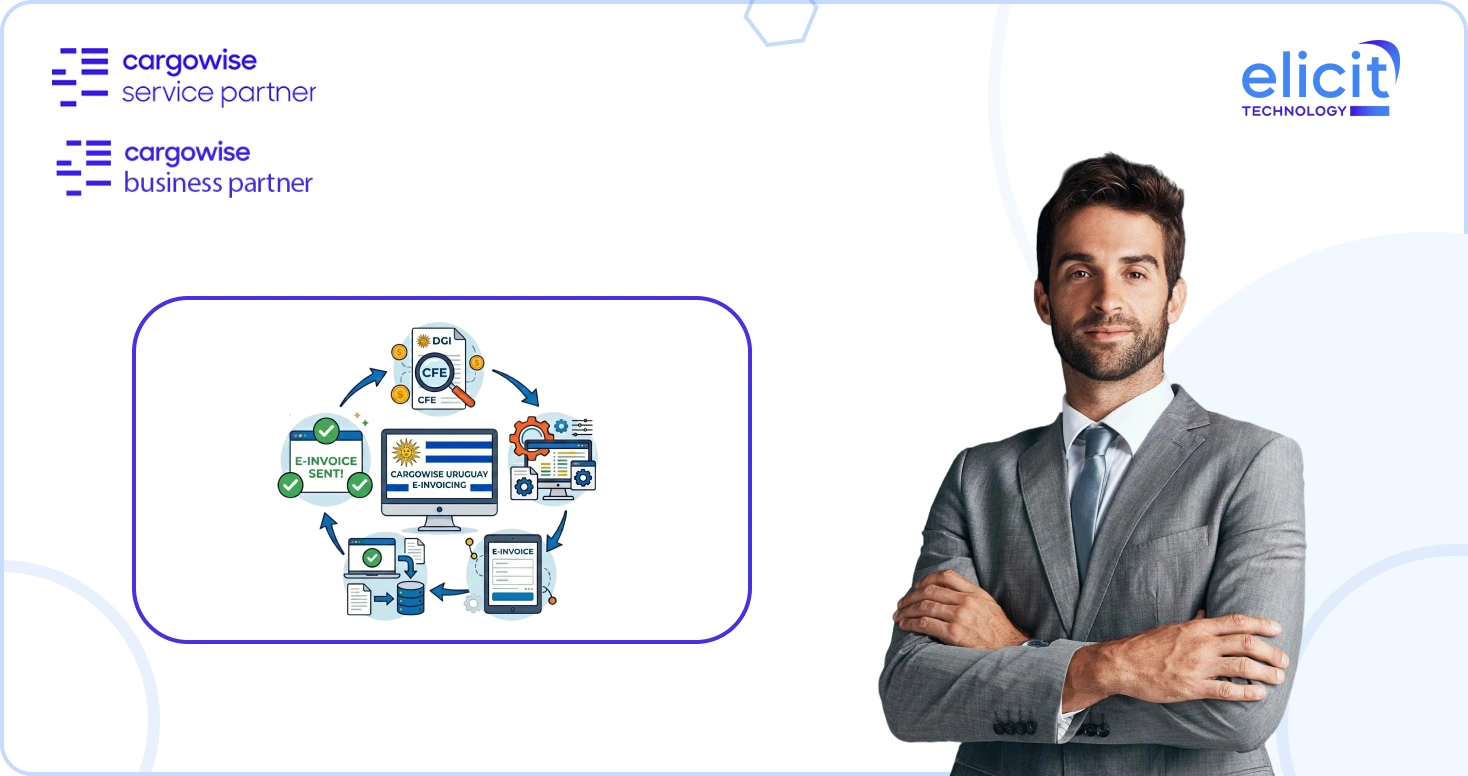
That’s where the EUY – E-Reporting Invoice Processing Service Task comes in.
This task:
- Picks up posted AR invoices and credit notes
- Converts them into structured XML
- Sends them through eHub to the PAC provider
- Receives approval status from DGI
If this service task isn’t active, your invoices simply won’t move.
It’s one of those small technical details that can completely stop your compliance workflow.
What Actually Happens When You Post an Invoice?
From a user perspective, posting an invoice feels simple.
Behind the scenes, CargoWise:
- Maps invoice data into XML format
- Wraps it in a Global Electronic Invoice (GEI) message
- Sends it through eHub
- Routes it to the PAC provider
- Validates it against DGI rules
- Returns approval status
If everything is correct, the status updates to SUC (Success), and the official government number is assigned.
If not, the transaction fails, and you need to fix and resubmit it.
Why Testing is Not Optional Before Go-Live?
This is where many implementations fall short.
Uruguay e-invoicing is highly sensitive to configuration accuracy. Even minor issues can cause failures.
Before going live, you should test:
- Local vs foreign currency invoices
- Debtors with and without RUT
- Credit notes and reversals
- Transactions from both operations and finance modules
- Edge cases specific to your business
Testing isn’t just about validation, it’s about confidence.
Common Mistakes CargoWise Users Should Avoid
From real-world implementations, here are the most common issues:
- Missing RUT or BRC codes
- Incorrect compliance subtype mapping
- Unconfigured contingency invoice sequences
- Incomplete debtor registration data
- Lack of error notification setup
These issues don’t always show up immediately, but when they do, they disrupt operations fast.
Why this is More than Just a Compliance Setup?
Uruguay e-invoicing isn’t just about meeting tax requirements.
It directly impacts:
- Billing cycles
- Cash flow
- Customer communication
- Audit readiness
A failed invoice doesn’t just create a compliance issue, it delays revenue.
That’s why getting the setup right from the beginning matters.
Conclusion
Setting up CargoWise for Uruguay e-invoicing is not just a technical task, it’s a business-critical configuration.
When done right, it ensures:
- Smooth invoice processing
- Real-time compliance
- Reduced rejection rates
- Better financial visibility
When done wrong, it creates delays, errors, and operational friction.
The difference lies in how well your system is configured and tested.
Get Expert Help for CargoWise Uruguay E-Invoicing Setup
Uruguay e-invoicing in CargoWise involves multiple layers, configuration, validation logic, compliance mapping, and system behavior.
At Elicit, we help CargoWise users:
- Configure RUT, BRC, and organization structures correctly
- Set up compliance subtype rules and registries
- Align receivables and tax configurations
- Implement testing strategies before go-live
- Resolve real-time e-reporting issues
If you want your CargoWise environment to run smoothly without compliance disruptions, connect with Elicit, the trusted CargoWise Service Partner, and get your Uruguay e-invoicing setup done right the first time.