











A new CargoWise environment may look empty when it is first opened, but every early decision made inside it can shape years of logistics operations.
The company structure you create influences reporting. The currencies and regional settings you select affect accounting. User permissions determine who can access sensitive information. Charge codes influence billing and profitability. Workflows, milestones, document templates, registry settings, and integrations control how efficiently work moves between operations, finance, customs, warehouses, transport teams, and customers.
That is why a CargoWise setup should never be treated as a simple software installation.
It is the process of building the operational and financial foundation that your logistics business will depend on every day.
When CargoWise is configured around your real business requirements, it can support consistent execution, cleaner data, stronger financial control, better visibility, and scalable growth. When the setup is rushed or built without a clear operational plan, teams may spend years working around incorrect configurations, fragmented processes, and avoidable manual tasks.
What is a Right CargoWise Setup?
A CargoWise setup is the structured process of preparing and configuring a CargoWise environment for a logistics organization.
It includes much more than enabling users or activating a few modules. A complete CargoWise setup may cover company and branch structures, operational modules, accounting settings, currencies, time zones, security permissions, master data, charge codes, workflows, milestones, document templates, government compliance requirements, reports, integrations, and user training.
The objective is to make the system ready for daily use across the parts of the business that depend on it.
Depending on the company, this may include:
- Freight forwarding
- Customs brokerage
- Warehouse operations
- Land transport
- Accounting and finance
- Compliance and e-reporting
- Customer visibility
- Workflow automation
- Reporting and analytics
- External system integrations
A strong setup connects these areas so information can move through the business without unnecessary re-entry, conflicting records, or disconnected processes.
Who Needs Professional CargoWise Setup Support?
Professional CargoWise setup support is useful for more than businesses adopting CargoWise for the first time.
A freight forwarder may need support when launching a completely new CargoWise environment. An existing customer may need to create a new company, branch, country operation, warehouse, or department. A business may also require restructuring because the original setup no longer reflects how the company operates today.
CargoWise setup support is particularly valuable when your organization is:
- Starting CargoWise from scratch
- Opening a new company or branch
- Expanding into another country
- Adding forwarding, customs, warehouse, transport, or finance operations
- Migrating from a legacy logistics system
- Consolidating operational and financial processes
- Redesigning security and user access
- Correcting an outdated or incomplete setup
- Preparing for integrations, automation, or reporting
- Standardizing CargoWise across multiple locations
In each of these situations, the system must be designed around both current needs and future growth.
Why CargoWise Setup must Begin with Your Business?
The best CargoWise setup does not start with screens, menus, or configuration fields. It starts with understanding the business.
Before making system changes, it is important to understand how a shipment enters the organization, which teams handle it, what documents are required, how costs and revenue are captured, when invoices are raised, which compliance checks apply, and what information management and customers need.
Without this understanding, a technically correct setup may still be operationally wrong.
For example, a workflow can be configured successfully, but trigger at the wrong stage. A charge code can post correctly, but direct revenue to the wrong account. A user may have access to the right module but also see information that should be restricted. A document template may work, but fail to include the details required by customers or regulators.
Business requirement analysis ensures CargoWise reflects the way your organization needs to operate rather than forcing teams to adapt to a generic system design.
What should be included in a Complete CargoWise Setup?
A comprehensive CargoWise setup should address the complete operating environment, not isolated technical settings.
Company, Branch, and Regional Configuration
The first layer establishes the organizational structure of the CargoWise environment. This may include login companies, branches, organization proxies, addresses, currencies, time zones, country settings, registration numbers, tax details, language requirements, and branding.
These settings affect operational ownership, financial reporting, documentation, compliance, and how users work across branches.
Getting this structure right from the beginning reduces the need for difficult corrections after transactions have already been posted.
Module Activation and Operational Parameters
CargoWise should be configured according to the services your company actually provides.
A freight forwarder may need forwarding, customs, transport, warehouse, accounting, and visibility functionality. Another company may use only selected areas initially, but require a structure that supports future expansion.
The setup should define how each relevant module will behave and how work will move between them. This includes shipment processes, consol structures, transport activities, customs jobs, warehouse records, job costing, invoicing, and operational handoffs.
User Roles, Permissions, and Security
Not every user should have access to every area of CargoWise.
Operations staff, finance teams, managers, customs users, warehouse staff, administrators, and customer service teams have different responsibilities. Their access should reflect those responsibilities.
A secure CargoWise setup should define:
- User and group access
- Module permissions
- Branch and company visibility
- Edit and approval rights
- Sensitive accounting access
- Registry and configuration rights
- Document and reporting access
Carefully designed security helps protect sensitive information, reduce accidental changes, and create clearer accountability.
Master Data and Reference Information
CargoWise depends heavily on accurate master data.
Organizations, customers, suppliers, products, ports, charge codes, tax codes, payment terms, service providers, and registration details influence almost every operational and financial workflow.
Migrating poor-quality data into a new environment simply moves old problems into a new system.
Before migration, data should be reviewed, cleansed, standardized, validated, and mapped correctly. Duplicate organizations, incomplete registration details, inconsistent naming, and outdated financial references should be addressed before go-live.
Accounting and Finance Configuration
Accounting configuration is one of the most important parts of CargoWise setup because operational actions create financial outcomes.
Charge codes, General Ledger mappings, debtor and creditor groups, tax rules, bank accounts, sales and expense groups, currencies, exchange rates, invoice numbering, and posting controls all influence how revenue and costs are recorded.
A weak accounting setup can result in missed revenue, incorrect cost allocation, reconciliation issues, unreliable profitability reporting, and unnecessary invoice corrections.
The finance structure should therefore be reviewed alongside forwarding, customs, transport, and warehouse workflows rather than configured separately.
Workflows, Milestones, and Events
CargoWise workflows help standardize how work progresses through the system.
Tasks, milestones, events, triggers, alerts, and exceptions can guide users, automate routine actions, and bring delays or missing information to their attention.
A successful workflow setup should reflect what teams really need to do at each stage. It should reduce manual follow-up without creating unnecessary alerts or administrative noise.
When designed correctly, workflows can improve consistency, accountability, visibility, and customer service.
Documents, Templates, and Delivery Rules
Documents are central to logistics operations. Quotations, booking confirmations, bills of lading, arrival notices, invoices, warehouse documents, transport instructions, and customer reports must contain accurate and consistent information.
CargoWise setup may include company branding, document templates, output rules, email settings, document delivery configuration, and customer-specific requirements.
Well-designed document processes reduce manual formatting and help ensure the correct information reaches the correct party at the correct time.
Compliance and Country-Specific Requirements
Logistics businesses operate across changing regulatory environments.
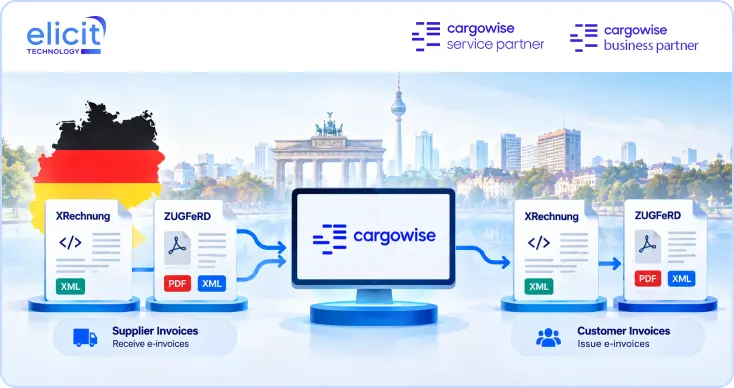
Country-specific tax settings, customs requirements, electronic invoicing, government reporting, registration codes, compliance numbering, and document rules may need to be configured correctly before transactions can be processed.
This is especially important for organizations operating across multiple jurisdictions. A setup that works in one country may not satisfy the accounting, tax, customs, or reporting requirements of another.
Integrations with Existing Systems
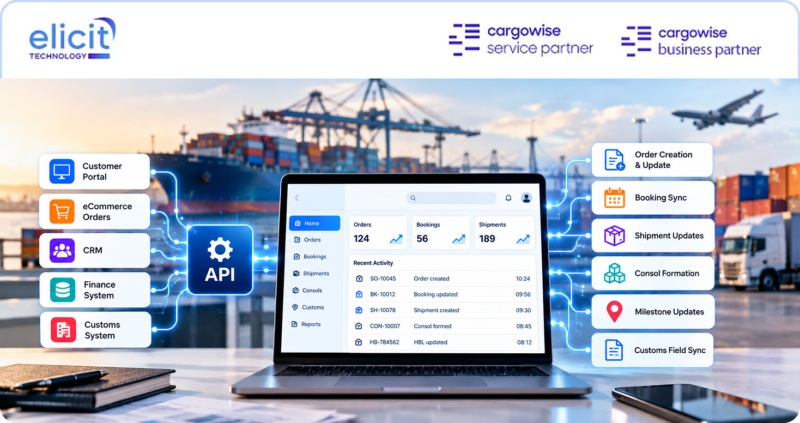
Many businesses use CargoWise alongside finance platforms, customer portals, warehouse systems, carrier systems, CRM tools, reporting platforms, customs systems, or internal applications.
Integration planning should identify what data needs to move, where it originates, which system owns it, how frequently it should be exchanged, and how errors will be handled.
A well-designed integration can reduce duplicate entries and improve data flow. A poorly designed one can create conflicting records, failed messages, and difficult reconciliation.
The Elicit CargoWise Setup Process
Elicit follows a structured setup process designed to reduce risk and ensure the environment is ready for real operations.
1. Acceptance Sign-Off
The process begins by confirming stakeholder approval of the proposed CargoWise setup plan. The company structure, modules, responsibilities, timelines, and requirements are agreed upon before configuration begins.
This creates clear ownership and reduces misunderstandings later in the project.
2. Business Requirement Analysis
Elicit reviews of current workflows, services, locations, users, accounting requirements, reports, integrations, and operational challenges.
This stage helps determine how CargoWise should be structured for forwarding, customs, warehouse, transport, finance, and other relevant business functions.
3. Data Preparation and Migration
Customer, supplier, product, charge code, port, finance, and operational data is prepared and validated before migration.
The focus is not simply on moving data. It is protecting data integrity and ensuring the information entering CargoWise is clean enough to support reliable workflows and reporting.
4. System Configuration and Module Setup
CargoWise modules and system settings are configured according to the approved design.
This may include company and branch settings, security, registry items, workflows, milestones, operational parameters, document templates, charge codes, and reports.
5. User Training
Users receive guidance based on their roles and the configured environment.
Training focuses on how teams will work in the system, how processes connect, how documents are handled, which controls apply, and what users should do when exceptions occur.
6. User Acceptance Testing
The configured environment is tested against realistic business scenarios.
Teams verify workflows, permissions, documents, financial behavior, reporting, and integrations before confirming that the setup meets operational requirements.
7. Go-Live
After approval, the configured CargoWise environment moves into live operations.
System behavior, user adoption, workflows, transactions, and critical processes are monitored closely during the transition.
8. Post-Setup Support
CargoWise setup does not end at go-live.
Elicit provides issue resolution, monitoring, user support, configuration adjustments, and ongoing optimization as business requirements evolve.
Common CargoWise Setup Mistakes to Avoid
Many long-term CargoWise problems begin with decisions made during setup.
One common mistake is copying another company’s configuration without assessing whether it fits the new business. Another is enabling modules without designing the workflows that connect them. Some companies migrate all legacy data without cleaning it, while others give users broad security access simply to make setup faster.
Additional problems often include incomplete charge code mapping, inconsistent document templates, missing testing scenarios, limited user training, poorly planned integrations, and no post-go-live optimization.
These decisions may save time during setup but create more work later.
A better approach is to design the environment deliberately, test real scenarios, document key decisions, and involve operations, finance, compliance, and management throughout the project.
How do You Know Whether Your CargoWise Setup is Working?
A successful setup should produce clear operational outcomes.
Users should know what to do and where to do it. Data should be entered once and reused where possible. Charges should flow correctly into accounting. Documents should be generated consistently. Permissions should match responsibilities. Reports should provide reliable information. Integrations should reduce work rather than create more reconciliation.
Useful questions include:
- Are teams still relying heavily on spreadsheets?
- Is the same data entered into multiple systems?
- Do users frequently correct invoices or charges?
- Are workflows producing too many or too few alerts?
- Can management trust the reports?
- Are users clear about their responsibilities?
- Are documents consistent across branches?
- Does the setup support future expansion?
- Are manual tasks increasing as shipment volumes grow?
If the answer to several of these questions is negative, the environment may need review or optimization.
Why Work with an Expert CargoWise Service Partner?
CargoWise is highly configurable, which is one of its greatest strengths. It also means setup decisions require both system knowledge and practical logistics understanding.
An expert CargoWise service partner can translate operational requirements into the correct system structure, identify dependencies between modules, plan data migration, configure security, support testing, train users, and improve the environment after go-live.
This reduces the risk of building a system that is technically active but operationally difficult to use.
How Elicit Technology Supports Your Complete CargoWise Setup?
Elicit Technology helps logistics organizations build CargoWise environments around their actual business.
Our support covers CargoWise setup, new company onboarding, module configuration, registry setup, user management, security, accounting configuration, data migration, workflows, documents, integrations, reporting, training, testing, go-live, and ongoing optimization.
We combine CargoWise expertise with practical knowledge across forwarding, customs, warehouse, transport, accounting, and logistics operations. This helps us configure the system as one connected business platform rather than a collection of separate modules.
Our objective is not simply to get CargoWise running. It is to create an environment that helps your teams work with greater efficiency, control, visibility, and confidence.
Conclusion
CargoWise setup is one of the most important stages in building a successful logistics technology environment.
The decisions made during setup influence operations, accounting, compliance, security, reporting, user adoption, and future scalability. A rushed or incomplete configuration can create years of manual work and correction. A carefully planned setup can give the business a strong foundation for automation, consistency, visibility, and growth.
Elicit Technology handles the complete CargoWise setup process, from requirements and migration to configuration, training, testing, go-live, and post-setup support.
When CargoWise is built around your business from the beginning, your teams do not have to work around the system. The system is ready to support the way they work.
Looking for expert CargoWise setup support from scratch? Book a consultation with Elicit Technology and build an operations-ready CargoWise environment with confidence.