








Every freight forwarding business has its own way of managing shipments, preparing documents, tracking performance, and communicating with customers. Yet, when employees use CargoWise, the standard system layout may not always reflect how their organization operates.
Consider a freight forwarder managing shipments across multiple countries. Its operations team needs quick access to shipment details, the documentation department prepares customer-specific house bills of lading, warehouse employees require barcode labels, and management wants reports showing profitability by customer or branch.
All these activities take place within the same CargoWise environment, but each team needs different information presented in a different way.
Without appropriate customization, employees may spend additional time navigating unnecessary fields, adjusting document layouts, or manually preparing reports.
This is where CargoWise customization becomes valuable.
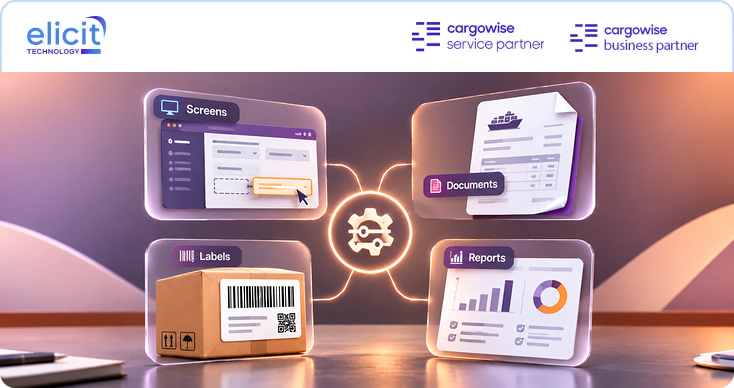
By tailoring screens, documents, labels, and reports to operational requirements, logistics businesses can make CargoWise more practical for everyday use without replacing the underlying system.
Let’s explore how CargoWise customization works, where it can improve freight forwarding operations, and what businesses should consider before making changes.
What is CargoWise Customization, and Why does Your Business Need it?
CargoWise customization involves adapting supported system elements to match a logistics company’s workflows, documentation requirements, branding, and reporting needs.
Rather than expecting every department to work with identical layouts and outputs, businesses can adjust relevant components to support their specific responsibilities.
For example, a freight forwarding company handling air and ocean shipments may need different document formats for different customers.
Its warehouse team may require packing labels with specific reference numbers and barcodes, while management may need customized reports showing shipment volumes, revenue, and operational performance.
These requirements cannot always be addressed through one standard layout.
CargoWise customization can help businesses present relevant information more clearly, standardize customer-facing documents, adapt shipment labels, and create reports around business-specific performance indicators.
However, customization should solve a genuine operational problem.
Adding more fields, reports, or templates without understanding how employees use them can introduce unnecessary complexity.
The objective should be to make CargoWise easier to work with while maintaining consistency across the organization.
For a broader understanding of customization possibilities, explore the CargoWise customization challenges freight forwarders should consider when reviewing their operational requirements.
How does CargoWise Screen Customization Improve Daily Operations?
CargoWise screens contain information used across shipment processing, consolidations, documentation, and other operational activities.
However, the information most relevant to one team may not be equally important to another.
For example, an ocean freight operator may regularly work with vessel details, container references, routing information, and shipment milestones.
A finance employee may be more concerned with charges, invoices, and financial information.
When users must repeatedly navigate through fields that are not relevant to their work, routine activities can become unnecessarily time-consuming.
CargoWise Screen Customization helps businesses organize supported screen elements around their operational requirements.
Depending on the available configuration capabilities, this may include adjusting field arrangements, introducing useful shortcuts, or reducing unnecessary screen clutter.
Customization can also be considered at shipment and consolidation levels.
Imagine a forwarding company where employees regularly need to review particular shipment references before preparing documentation.
Making the relevant information easier to access can simplify the review process and reduce unnecessary navigation.
Role-based screen configuration may also help organizations present information according to employee responsibilities.
The most effective approach begins by observing how users currently perform their tasks.
Which information do they access most frequently? Which fields create confusion? Where do employees repeatedly switch between screens?
Answering these questions helps ensure that screen customization addresses actual workflow requirements rather than simply changing the appearance of CargoWise.
To understand the operational impact in greater detail, read about the benefits of screen customization for CargoWise users.
Why is CargoWise Document Customization Important for Freight Forwarders?
Freight forwarding involves extensive documentation.
Invoices, packing lists, house bills of lading, and other shipment documents may need to reflect customer requirements, company branding, and applicable operational or regulatory information.
Standard templates may not always provide the required layout.
Consider a freight forwarder serving customers in different countries.
One customer may require specific references on an invoice, while another may expect a particular format for shipment documentation.
A business operating through multiple branches may also need consistent branding while displaying different company details.
Manually adjusting documents after generation creates additional work and increases the possibility of inconsistent information.
CargoWise Document Customization allows businesses to design supported document templates around their requirements.
This may involve customizing headers, footers, body layouts, fields, and branding elements.
Some common applications include:
- Commercial and operational invoices: Presenting relevant customer, shipment, and billing information in the required format.
- House bills of lading: Adapting supported templates to business and country-specific documentation needs.
- Packing lists: Organizing shipment and cargo information according to customer requirements.
- Freight documentation: Standardizing layouts and references across different shipment types.
- Multi-language templates: Supporting documentation requirements where different languages are needed.
For example, a logistics company operating across several countries may want all branches to use consistent document branding while retaining location-specific details.
A well-planned template structure can support that consistency.
Businesses may also explore workflow-triggered document automation where supported, reducing the need to prepare the same documents manually at recurring operational stages.
Document customization should be validated using representative shipment data to ensure that the information appears correctly under different business scenarios.
For additional context, our article on CargoWise document customization explains how tailored templates support documentation and branding requirements.
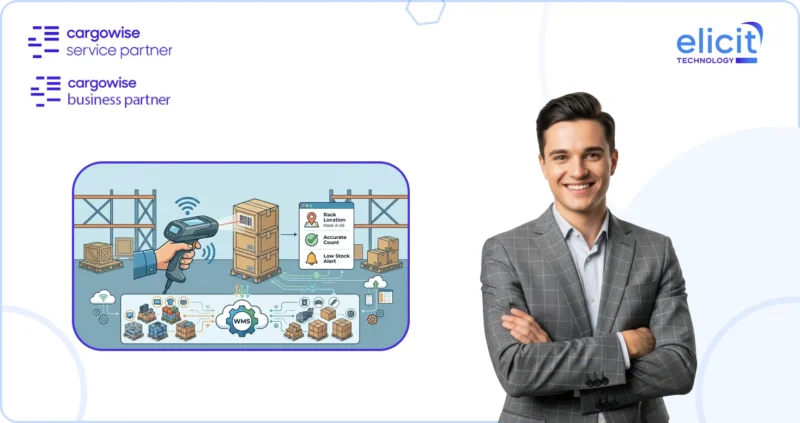
How can CargoWise Label Customization Support Warehouse and Freight Operations?
Labels are essential to identifying, handling, and tracking cargo throughout logistics operations.
Warehouse employees may use them to identify packages, associate goods with shipments, and support scanning activities.
Freight operations may also require labels containing carrier references, shipment numbers, customer details, or handling information.
However, label requirements can vary considerably.
A warehouse handling consumer goods may need barcode-based packing labels, while a freight forwarder managing international shipments may require labels aligned with specific carrier or customer formats.
Using unsuitable label layouts can create unnecessary handling work.
CargoWise Label Customization helps businesses design supported shipment, packing, and warehouse labels around their operational needs.
For example, a warehouse may require labels displaying shipment references, package identification numbers, customer information, barcodes, and relevant handling details.
Some businesses may also require labels aligned with applicable GS1 or FDA-related requirements.
However, compliance depends on the specific product, industry, jurisdiction, and labeling rules involved. A customized label should therefore be checked against the relevant requirements rather than assumed to be compliant because it includes a barcode or standardized format.
Consider a warehouse preparing multiple packages for a single shipment.
A clearly structured label can help employees identify which package belongs to which consignment and support the appropriate scanning workflow.
For businesses managing high volumes of freight or warehouse activities, consistent labeling can contribute to more organized cargo handling.
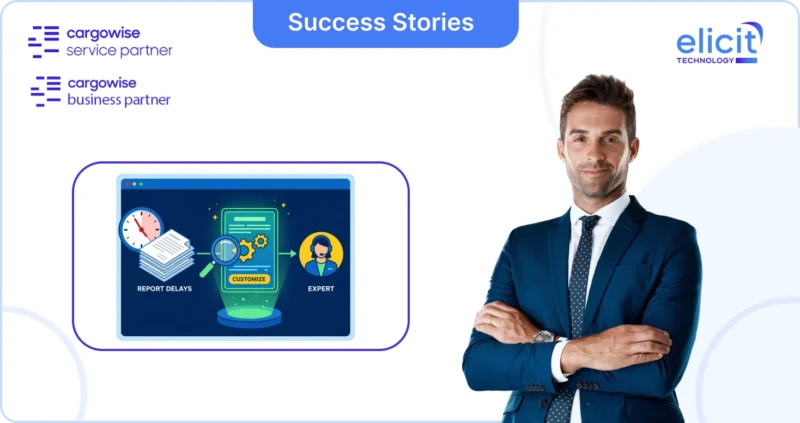
How does CargoWise Report Customization Improve Business Visibility?
A freight forwarder may process hundreds of shipments every month, but shipment volume alone does not explain business performance.
Management may want to know which customers generate the most revenue, which branches handle the highest shipment volumes, or where operational costs are increasing.
Different departments may require different views of the same underlying information.
Standard reports can provide useful information, but they may not always reflect the exact metrics or layouts a business needs.
CargoWise Report Customization helps organizations create or refine reports around their operational and financial priorities.
For example, a freight forwarding company may want a report comparing shipment activity across branches.
Another business may need a customer-focused report showing revenue, shipment counts, and relevant financial indicators.
A warehouse manager may require a different report covering operational activity.
Customized reports can incorporate appropriate fields, filters, and layouts to present information more meaningfully.
Depending on the reporting solution and available data, businesses may also use visualizations to make performance information easier to interpret.
Consider a management team reviewing branch performance.
Instead of manually combining several reports, a tailored report could bring the required measures into one consistent format.
This can make regular performance reviews more practical.
However, useful reporting depends on accurate underlying data and clearly defined calculations.
Before developing a custom report, businesses should agree on what each KPI means, where the relevant information comes from, and how the results will be used.
A report should answer a business question, not simply display more data.
Our detailed article on report customization in CargoWise explores how tailored reports can support operational analysis and decision-making.
What should Businesses Consider Before Customizing CargoWise?
Customization can improve how teams use CargoWise, but changes should be planned carefully.
A screen adjustment that benefits one department may affect another team’s workflow.
Similarly, a document template designed for one customer may not be suitable for every branch or shipment type.
Businesses should begin by identifying the problem they want to solve.
For example, if employees regularly modify invoices after generating them, the organization should determine whether the issue relates to missing information, layout requirements, or inconsistent master data.
The solution may involve document customization, but it could also require reviewing the underlying configuration.
Workflow compatibility is another important consideration.
Customizations should align with existing CargoWise processes and avoid unnecessary conflicts with established settings.
Testing and validation are equally important.
A document template may appear correct when tested with one shipment but behave differently when handling another customer, currency, or shipment type.
Reports should be checked against representative operational and financial records.
Labels should be validated against relevant scanning, formatting, and compliance requirements.
Businesses should also consider how their requirements may change.
A company expanding into new countries may need additional document formats, while a growing warehouse operation may require different labels.
Finally, customizations should be reviewed for compatibility with applicable CargoWise updates.
Supported configuration methods and appropriate testing can help businesses manage changes more effectively, although the impact of future updates will depend on the specific customization.
A structured approach makes it easier to maintain useful customizations as the organization evolves.
How can Elicit Technology Help You Customize CargoWise?
Freight forwarding businesses often know which parts of CargoWise they want to improve, but translating those requirements into practical system changes can require specialized expertise.
For example, an operations manager may want shipment screens to display information more clearly, while the documentation team needs customer-specific templates.
At the same time, management may require tailored performance reports, and warehouse teams may need barcode-enabled packing labels.
These requirements involve different parts of CargoWise, but they should work together within the same operational environment.
As an official CargoWise Service and Business Partner, Elicit Technology provides CargoWise Customization Services covering screens, documents, labels, and reports.
Our approach begins with understanding how the business operates and identifying where existing layouts or outputs do not meet operational requirements.
We then assess the relevant workflows and design suitable customizations around the organization’s needs.
Our capabilities include screen customization, document customization, label customization, and report customization, with each service aligned to the relevant business requirements.
Elicit Technology also supports branding consistency, multi-branch template standardization, country-specific documentation requirements, and ongoing customization improvements.
Before deployment, changes are validated against representative operational data to help identify potential issues.
As business requirements evolve, our team can assist with further refinements to support new workflows, customers, or operational locations.
The goal is to make CargoWise more useful for the employees who depend on it every day.
1. Can CargoWise screens, documents, labels, and reports all be customized?
Yes. CargoWise supports various customization and configuration capabilities for screens, documents, labels, and reports. The exact changes available depend on the relevant module, system functionality, and business requirements.
2. Will CargoWise customization affect future software updates?
The impact depends on the type of customization and how it is implemented. Businesses should use supported customization approaches where possible and validate important changes when CargoWise updates are introduced.
3. How long does a CargoWise customization project take?
The timeline depends on the complexity and scope of the work. A relatively straightforward report or label adjustment may take a few days, while projects involving multiple screens, documents, and workflows may require several weeks. Testing, stakeholder approvals, and integration dependencies can also affect the schedule.
Conclusion: Make CargoWise Work the Way Your Business Operates
Every logistics business has different workflows, documentation requirements, customer expectations, and reporting priorities.
A standard system environment may provide the essential functionality, but it may not always present information in the most practical way for every team.
CargoWise customization helps businesses address these differences by tailoring supported screens, documents, labels, and reports to their operational needs.
Whether the objective is to simplify shipment processing, standardize freight documents, improve warehouse labeling, or create more meaningful management reports, effective customization begins with understanding the business requirement.
With careful planning, validation, and ongoing support, organizations can develop a CargoWise environment that remains useful as their operations grow.
Need CargoWise screens, documents, labels, or reports tailored to your business?
Elicit Technology can help you assess your requirements, develop suitable customizations, and align CargoWise with your freight forwarding and logistics workflows.
Book a Consultation with our CargoWise customization specialists to discuss your requirements.