






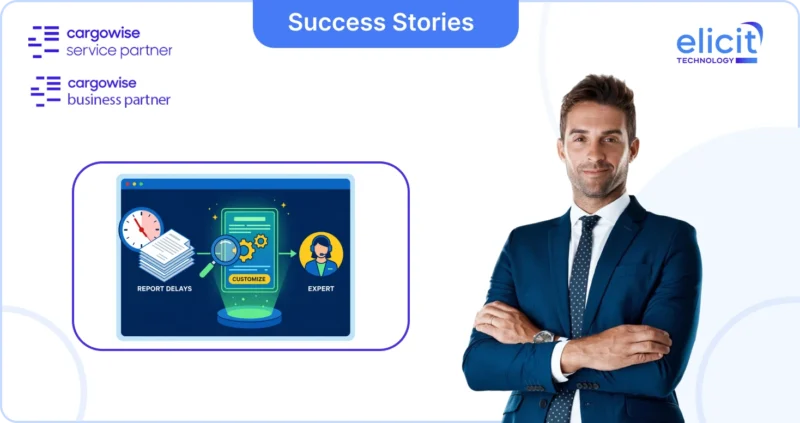







A missing commercial invoice, product specification, packing list, or compliance document can hold up an entire shipment.
The problem is rarely identifying that something is missing. The real operational burden is what happens next: someone has to decide who should provide it, send the request, follow up, capture the response, attach the evidence, and make sure the workflow continues once the information arrives.
CargoWise is now giving administrators a more structured way to automate that process.
Its Request for Information framework can raise and dispatch Requests automatically from workflow templates, triggers, and AI agents, while administrators can also create their own Request Item Types, Request Templates, and Evidence Types.
This changes information collection from a manual follow-up task into something that can become part of the shipment workflow itself.
What does Request Automation in CargoWise Actually do?
CargoWise’s Request for Information capability is designed to let Requests become part of the job rather than something managed separately through email.
The Shipment Workflow Template includes a dedicated Requests tab, where administrators can define which Requests should be created when the template is applied to a shipment. Each row can specify the Request Template, how the responding contact should be resolved, when the Request is due, which party role should receive it, whether a condition applies, and whether the Request should initially be created as Draft or immediately Dispatched.
That creates a much more controlled process.
For example, a company could configure a shipment workflow so that a specific Request is automatically created for the consignor only when a certain condition is met.
The due date can be calculated automatically.
The appropriate responding party can be selected.
And the Request can either wait for internal review or be dispatched automatically.
Instead of relying on an operator to remember what information needs to be collected, the workflow itself can decide when the request should exist.
How do Workflow Triggers Automate CargoWise Requests?
Requests do not have to be created only when the workflow template is initially applied.
CargoWise also allows Request Items to be raised and resolved through completion trigger actions when workflow events and trigger conditions occur.
One available action is Add Request Item — User Defined (RQU).
When its trigger condition is met, CargoWise raises the configured Request Item against the job in Pending status, ready to be dispatched. The Request Item Type determines what is being requested and its default behaviour.
Another action, Dispatch Request (RQD), can send a Request that already exists in Draft status. When the trigger fires, CargoWise finds the matching draft Request, sends it to the responding party, and activates the portal link.
This means automation can be linked directly to operational progress.
A Request does not need to be sent simply because a shipment exists.
It can be sent because the workflow has reached a specific point where that information is actually needed.
That is a much more useful model than sending every possible request at the beginning of the job.
How do AI Agents Work with CargoWise Requests?
The Request framework also connects with CargoWise AI agents.
For example, the Product Research Agent can be launched when a trigger or milestone fires. It processes commercial invoice lines that have not yet been checked, with up to 100 eligible lines processed in one run.
If the required product information cannot be resolved and the relevant Request Item Type is active, the system can create a Request Item requiring further input before dispatch.
CargoWise also includes a Missing Document Checker Agent.
This agent checks the shipment’s required documents against the eDocs tab. A document is considered missing when its received date is blank, and its usage matches the job direction. For each missing document, CargoWise can raise a Draft Request Item that must be approved before the Request is sent.
That is an important development in workflow automation.
The AI agent is not simply identifying a problem.
It can help turn the identified gap into an operational Request.
The sequence becomes:
Detect the information gap → Create the Request Item → Review if required → Dispatch → Capture the response
That reduces the gap between discovering a problem and taking action on it.
What are Request Item Types in CargoWise?
A Request Item Type defines the individual piece of information being requested.
CargoWise describes it as the reusable definition of what you ask a party for, what the Request relates to, who should receive it, what the responder sees, what they need to submit, and when the response is considered satisfied.
CargoWise includes system-defined Request Item Types so that its AI agents can work against consistent known types, but administrators can also create their own when the standard setup does not cover a particular business requirement.
This is where administrators can adapt the Request framework to their actual operation.
A custom Request Item Type might be used to ask for:
- A missing shipment document
- A technical product specification
- A declaration from the consignor
- A permit reference
- A customer confirmation
- Supporting evidence required before a workflow task can continue
Administrators can configure assignee roles, review policy, responder-facing names and instructions, additional context, and response inputs.
That makes the Request more useful than a generic “Please provide document” email.
It can be built around the exact piece of information the process requires.
What can Responders Submit through a CargoWise Request?
CargoWise separates the information shown to the responder from the information they are expected to provide.
Context fields are read-only information displayed alongside the Request, such as a product code or goods description, helping the recipient understand exactly what the Request relates to.
Input components are the response fields the recipient actually completes.
CargoWise allows up to five input components, with types such as text, date, choice, document upload, or URL. Administrators can also specify whether each response is mandatory and associate it with a default Evidence Type where relevant.
That allows Requests to be much more structured than ordinary email.
Instead of asking:
“Can you send the missing information?”
the system can ask for exactly the information required and control how the response should be provided.
This improves consistency and can make downstream automation easier because the information arrives in a predictable form.
How do Request Templates Bring Multiple Information Needs Together?
A Request Template is the reusable structure used to send a group of Request Items to one responding party.
It defines the Request Items included, how they are organised into sections, the headings and context displayed, security behaviour, and notification settings.
This is particularly useful when multiple pieces of information need to come from the same party.
Rather than sending separate requests for a packing list, technical specification, and confirmation, those Request Items can be grouped into one structured Request.
CargoWise also lets administrators configure whether external users can respond through the portal and whether submission verification is required.
From the recipient’s perspective, the Request can therefore appear as one organised set of questions rather than a series of disconnected follow-up emails.
For operations teams, that can significantly reduce the time spent chasing the same person repeatedly.
Why are Evidence Types Important?
Collecting a document is only one part of the process.
CargoWise also needs to understand what that document represents.
That is where Evidence Types come in.
An Evidence Type classifies the evidence being provided and can map it to a corresponding eDocs document type. It is also what enables evidence from previous responses to be reused.
CargoWise includes system-defined Evidence Types mapped to eDocs document types, including documents such as Commercial Invoices and Packing Lists. Administrators can configure whether evidence should automatically bind to matching open Request Items, whether it can be reused, and how long it remains reusable.
This can eliminate another common logistics frustration.
If a valid document has already been supplied and remains current, the system does not necessarily need to ask the same party for it again.
Reusable evidence can satisfy later Requests within the configured reuse window.
That means the Request framework is not simply automating the asking.
It is also helping reduce unnecessary asking.
Can CargoWise Workflows React When a Request is Completed?
Yes.
CargoWise records workflow events when Request Items and Requests change status.
A Request Item Status Change event is automatically logged when an item moves through states such as raised, requested, ready for review, satisfied, waived, or cancelled.
A Request Status Change event is also created when the wider Request is sent, completed, expired, or closed.
Administrators can then build triggers around those events.
For example, the workflow could:
- Notify a compliance officer when a technical specification Request Item is raised
- Progress a task when information is received
- Trigger another workflow step once a Request is completed
- Identify responses that are waiting for review
CargoWise specifically describes these events as a way to build automation around the information-gathering lifecycle.
This is what turns Requests from a communication tool into a workflow component.
The shipment does not simply wait for somebody to notice that information has arrived.
The workflow can react when it does.
How does CargoWise Prevent Duplicate AI Requests?
One concern with automated requests is duplication.
If an AI agent repeatedly detects the same requirement, users do not want multiple identical Requests appearing against the same job.
CargoWise includes a Detection Event history for Request Items raised by AI agents. When the same requirement is detected again, the agent can recognise that the Request Item already exists and record another detection event instead of raising a duplicate.
The Detection Event history can also show which agent detected the requirement and its confidence level.
That creates useful traceability around AI-driven automation.
Administrators can see not only that a Request exists, but also why and how often the AI detected the requirement.
What does this Mean for CargoWise Administrators?
The biggest change is that information requests no longer have to sit outside the shipment workflow.
Administrators can build them directly into operational logic.
A workflow can decide when information is needed.
A trigger can raise the relevant Request Item.
An AI agent can identify a missing document or product information requirement.
A Request Template can organise what the external party needs to provide.
Evidence Types can determine how received documents are treated and reused.
And workflow events can move the process forward once the requirement is satisfied.
That creates a much more connected model of information collection.
Instead of:
Operator notices gap → Sends email → Waits → Follows up → Downloads attachment → Updates job
the process can become:
Workflow or AI detects gap → CargoWise raises Request → Recipient responds → Evidence is captured → Workflow reacts
The operator still remains important, especially where review or judgment is required.
But they no longer need to act as the manual bridge between every step.
How Elicit Helps Configure CargoWise Request Automation?
CargoWise provides the framework, but the real value comes from configuring it around how your business actually operates.
At Elicit Technology, our certified CargoWise consultants help organisations design and configure workflow templates, triggers, Request Item Types, Request Templates, Evidence Types, AI-driven automation, security settings, and exception handling.
The objective is not simply to automate more emails.
It is to identify where your teams repeatedly chase information, determine when that information should be requested, define who should provide it, and build the process into CargoWise so the workflow can respond automatically.
For businesses already using CargoWise AI agents such as Product Research or Missing Document Checker, Request automation can also provide the missing operational layer between identifying an information gap and resolving it.
Conclusion
The Smart Auto-Request framework in CargoWise gives administrators much more control over how information is collected during a shipment.
Requests can be created from workflow templates.
Triggers can raise or dispatch them.
AI agents can identify missing information and create Request Items.
Administrators can build their own Request Item Types and Request Templates.
Evidence Types can automatically bind or reuse documents.
And workflow events can trigger the next action once the information has been received.
The result is not simply faster document collection.
It is a more structured way to manage one of logistics’ most persistent operational problems: getting the right information from the right party at the right time without relying on somebody to chase it manually.